


Dell ST2220L Questions & Answers
Picture size small when connected using HDMI Cable
 Follow Problem
I have Dell ST2220L LED monitor and undoubtedly a nice and crisp picture. My only concern is, when I connect it using the standard VGA cable provided along with the package, I am able to see the picture on full screen in 1920X1080 resolution. But when I connect a HDMI cable the picture is small from all the sides. Picture does not cut, but it does not fit on full screen. Has anyone faced same problem. If yes then were you able to fix it and how. As far as I have tried to research, I believe it requires a HDMI ver 1.4 cable which supports higher resolution. But have not tried it yet.
Problem solved
uWyV5x suuqxizepkhk, [url=http://gpltkhrmiafg.com/]gpltkhrmiafg[/url], [link=http://bntkpxochfkn.com/]bntkpxochfkn[/link], http://jazpxnrkytqr.com/
Display mode:
Like
Unlike
 Level 4
What video card are you using?
Level 4
What video card are you using?
not rated
1
sgrinavi
on Feb 21, 2012
Level 4
What video card are you using?
Comments (0)
- Add comment
- Thank
- Not helpful
Like
Unlike
 Level 4
With my ATI HD 5470 I need to go to the catalyst control panel and overscan it to fill the screen entirely. I doubt that you will have to change your hdmi cable.
Level 4
With my ATI HD 5470 I need to go to the catalyst control panel and overscan it to fill the screen entirely. I doubt that you will have to change your hdmi cable.
not rated
2
leviathan
on Feb 22, 2012
Level 4
With my ATI HD 5470 I need to go to the catalyst control panel and overscan it to fill the screen entirely. I doubt that you will have to change your hdmi cable.
Comments (0)
- Add comment
- Thank
- Not helpful
Like
Unlike
 Level 7
The cable is not a problem...even HDMI 1.0 supports up to 1920×1200. So I suggest you, to check your VGA settings. And if you can tell us what is your card, so we can be more specific :)
Level 7
The cable is not a problem...even HDMI 1.0 supports up to 1920×1200. So I suggest you, to check your VGA settings. And if you can tell us what is your card, so we can be more specific :)
not rated
3
I.P.K.
on Feb 22, 2012
Level 7
The cable is not a problem...even HDMI 1.0 supports up to 1920×1200. So I suggest you, to check your VGA settings. And if you can tell us what is your card, so we can be more specific :)
Comments (0)
- Add comment
- Thank
- Not helpful
Like
Unlike
Level 1
I am using onboard video graphics ATI Radeon HD 4290. I have MSI 890GXM-G65 board
not rated
4
sameerbhatia141
on Feb 22, 2012
Level 1
I am using onboard video graphics ATI Radeon HD 4290. I have MSI 890GXM-G65 board
Comments (0)
- Add comment
- Thank
- Not helpful
Like
Unlike
Level 1
Hi all. I was able to fit the display to full screen by option suggested by leviathan . Thanks buddy it works..
not rated
5
sameerbhatia141
on Feb 22, 2012
Level 1
Hi all. I was able to fit the display to full screen by option suggested by leviathan . Thanks buddy it works..
Comments (0)
- Add comment
- Thank
- Not helpful


Highly rated gadgets
-
8.5
 Xiaomi Mi A2
-
9.0
 Panasonic LUMIX LX100 II
-
9.1
 Apple iPhone XS
-
9.0
 FujiFilm XF10
-
9.0
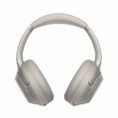 Sony WH-1000XM3
-
10.0
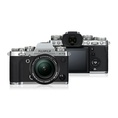 FujiFilm X-T3
-
9.1
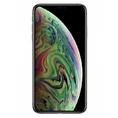 Apple iPhone XS Max
-
10.0
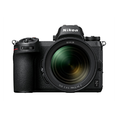 Nikon Z 7
-
8.0
 BlackBerry Motion


